Create A Help Page
Use this when creating or updating article-style Help content for the new Tibi Help experience.
Last modified: July 10, 2026
Before You Start
- Work on stage first:
https://beta.tibi.no. - Know which
Hjelpekategorithe page belongs to. - Prepare a clear title and short excerpt.
Steps In WordPress
- Go to
Hjelpesider. - Add a new page or open the existing page.
- Add the title, ingress, and body content.
- Assign the correct
Hjelpekategorier. - If the page belongs under another Help page, set the parent page.
- Set menu order if the page must appear in a specific sequence.
- Preview the page.
- Publish or update.
Visual Guide
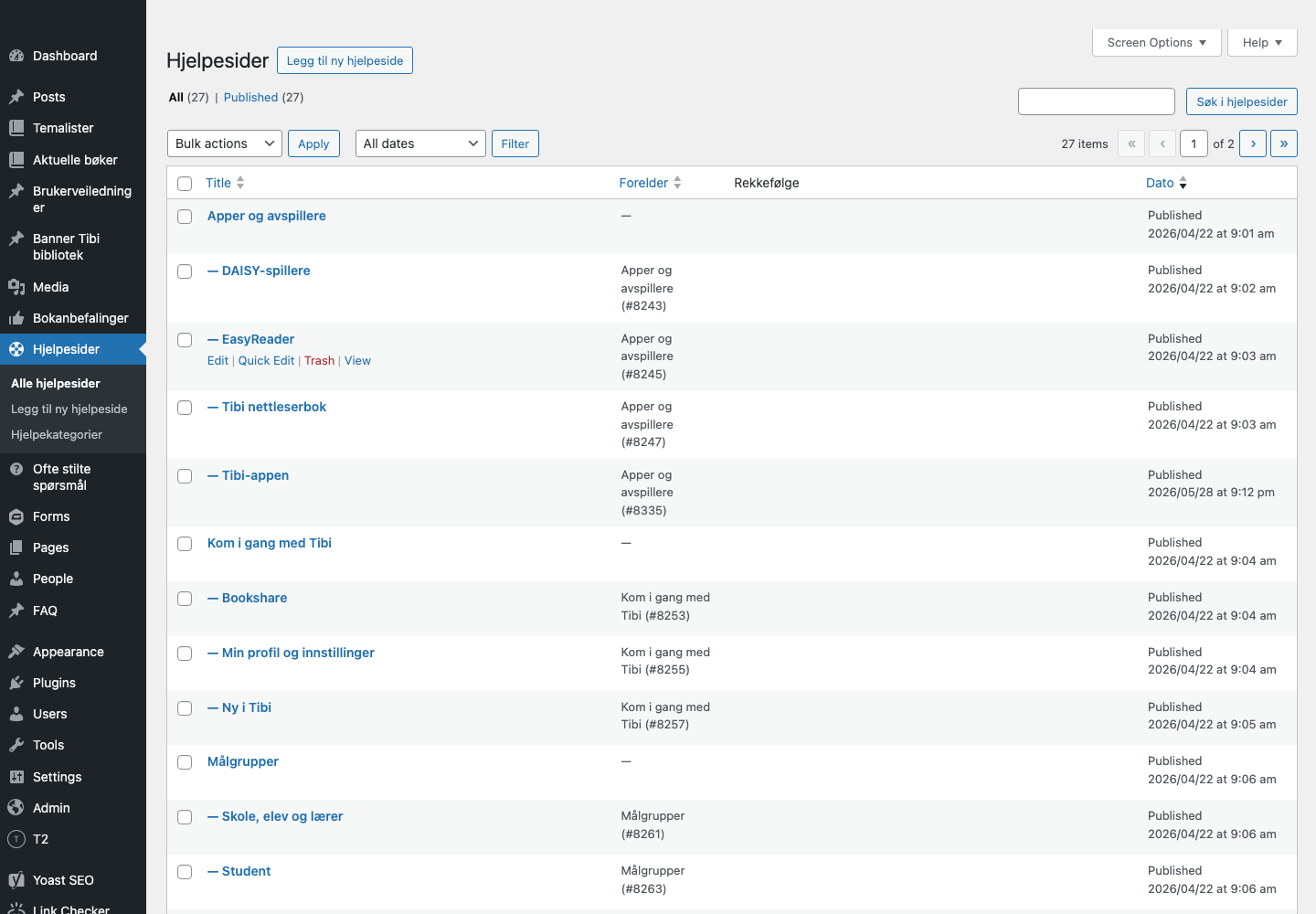
Help Pages List
Use Hjelpesider to find existing Help pages, check parent relationships, and add new Help pages.
Help Page Editor
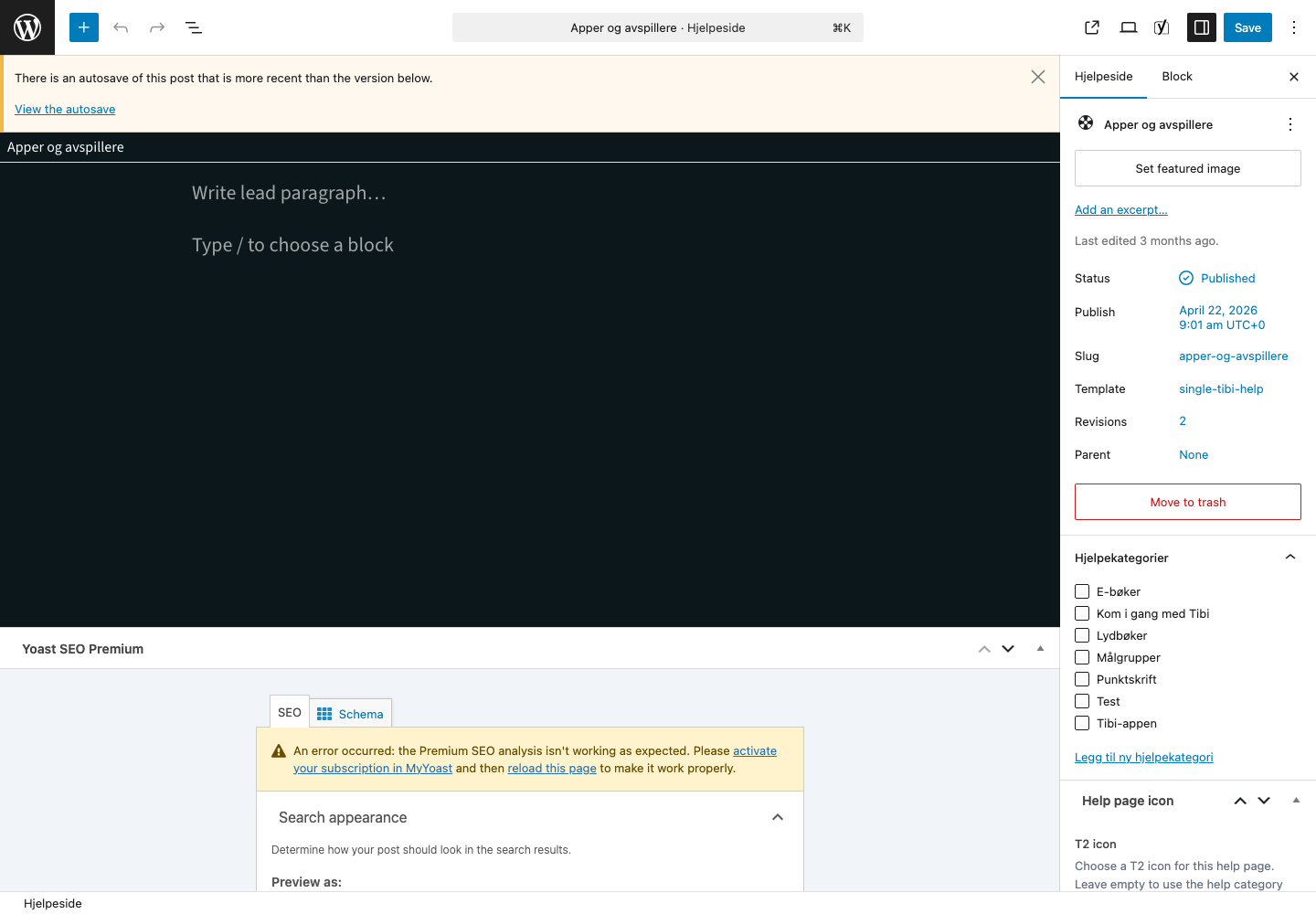
Use the editor to update the title, page content, parent, menu order, excerpt, and Hjelpekategorier.
What To Check On Stage
- The page URL works under
/hjelp/.... - The page title is clear in the frontend.
- The page appears in the expected category/filter context.
- The page can be found through Help search.
Common Problems
| Problem | Check |
|---|---|
| Page does not appear in Help search | Confirm it is published, has the right category, and search/indexing has updated. |
| Page appears in the wrong group | Check Hjelpekategorier and parent page. |
| Page order is wrong | Check parent and menu order. |
When To Ask A Developer
Ask a developer if the page is published but still cannot be reached, if search does not update after indexing, or if the Help template itself looks broken.