Test Help Search
Use this after publishing Help pages or FAQs to confirm users can find them.
Last modified: July 10, 2026
What Help Search Includes
Help search should include:
Hjelpesider(tibi-help)Ofte stilte spørsmål(tibi-faq)
Steps
- Open the Help page on stage:
https://beta.tibi.no. - Search for the exact title.
- Search for one important word from the content.
- If categories are used, test the expected
Hjelpekategorifilter. - Open the result and confirm it goes to the right page.
- Repeat with a typo or shorter phrase if relevant.
Visual Guide
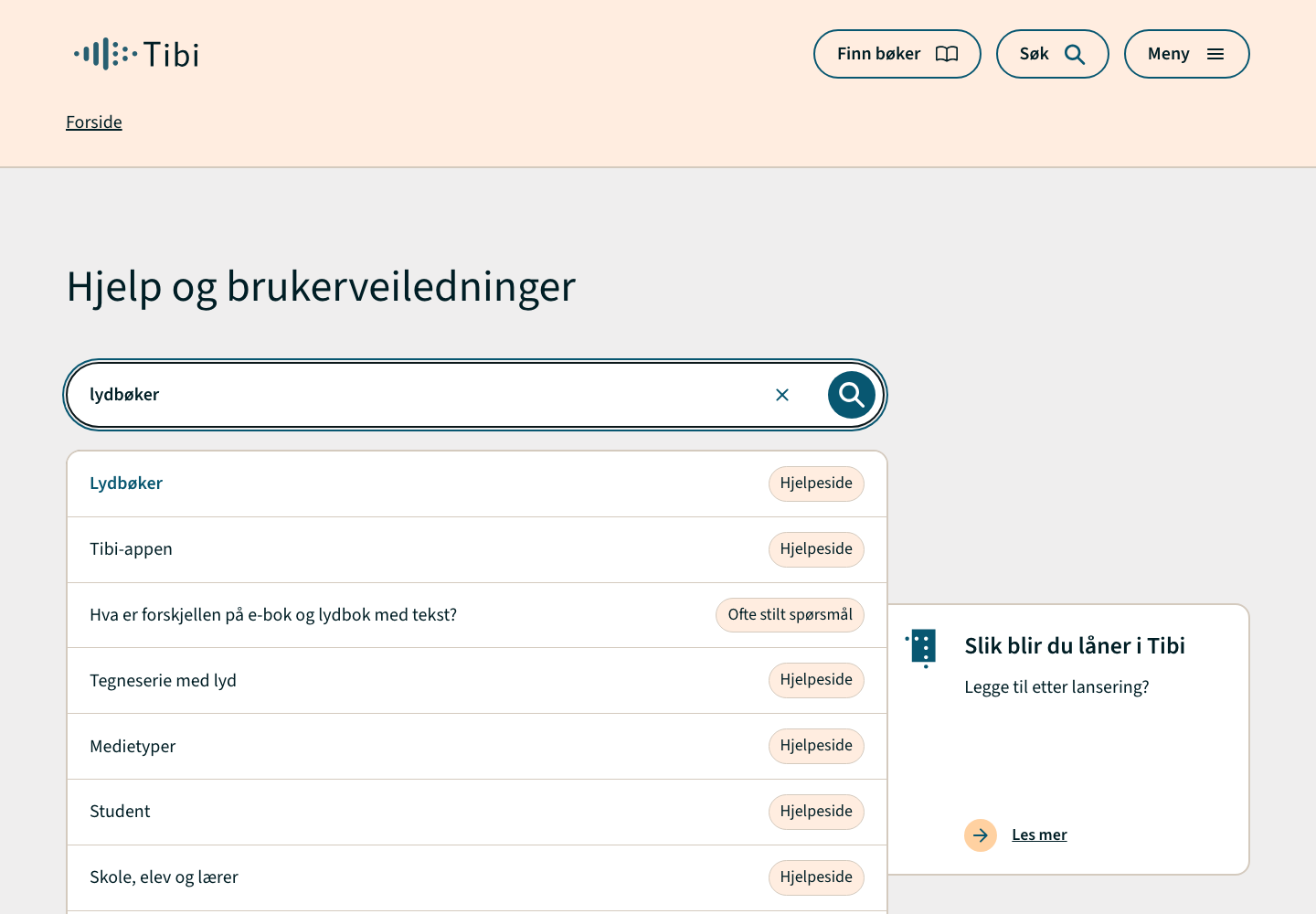
Help Search Autocomplete
The Help landing search should show suggestions for matching Help pages and FAQ entries.
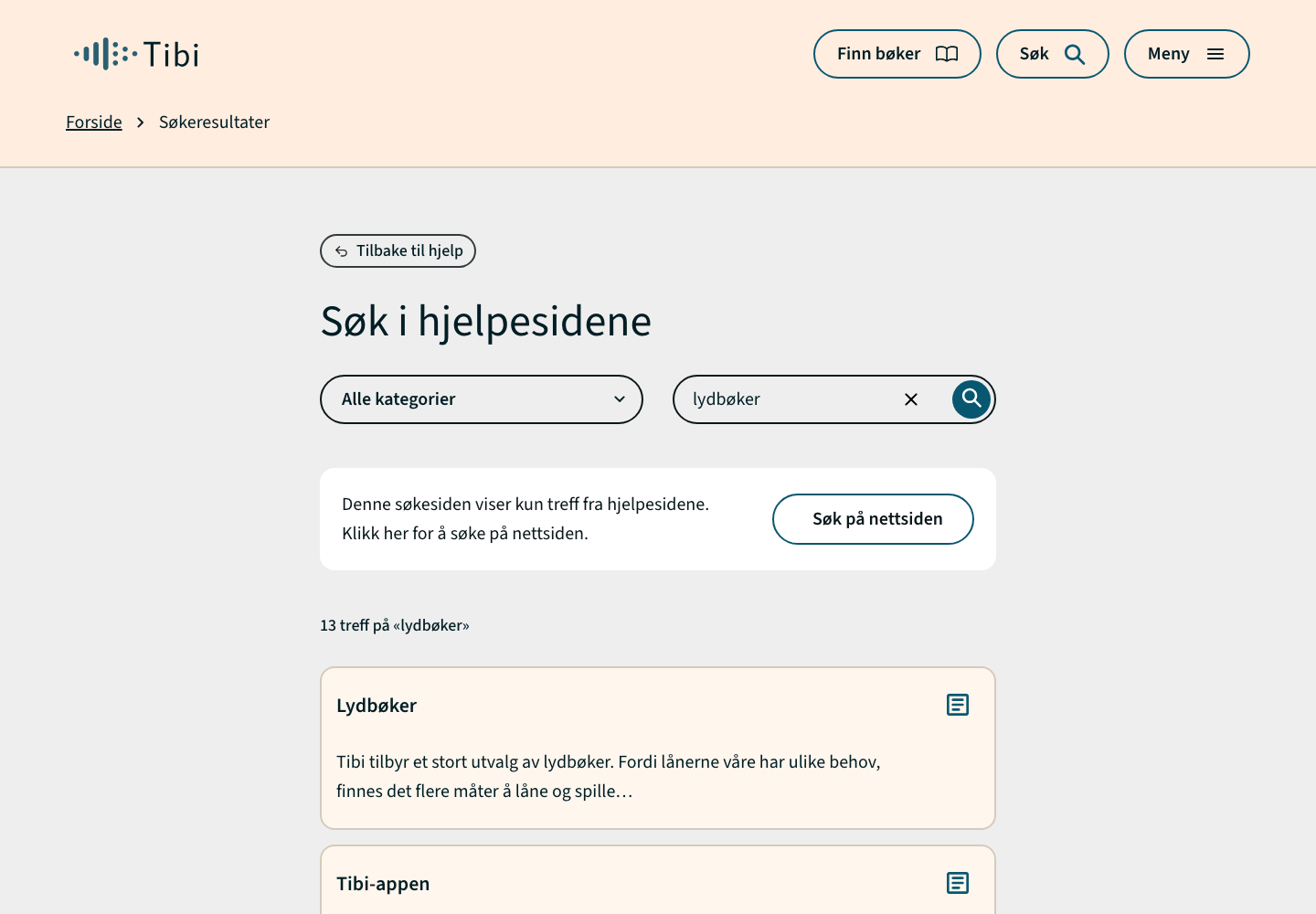
Help Search Results
The result page should show Help-only results and preserve the search term.
Missing Visuals
Add a category-filter screenshot when the relevant Help category UI is visible.
Common Problems
| Problem | Check |
|---|---|
| No result for exact title | Confirm the item is published and is tibi-help or tibi-faq. |
| Result appears in wrong category | Check Hjelpekategorier. |
| Result is old | Search/indexing may need time or reindexing. Ask a developer if it persists. |
When To Ask A Developer
Ask a developer if published content still does not appear after normal indexing, if autocomplete works but the result page does not, or if category filters behave incorrectly.